Rack Mount vs Wall Mount Fiber Patch Panel: How to Choose the Right One
By Jergeo Engineering Team | Updated September 2026 · 8 min read
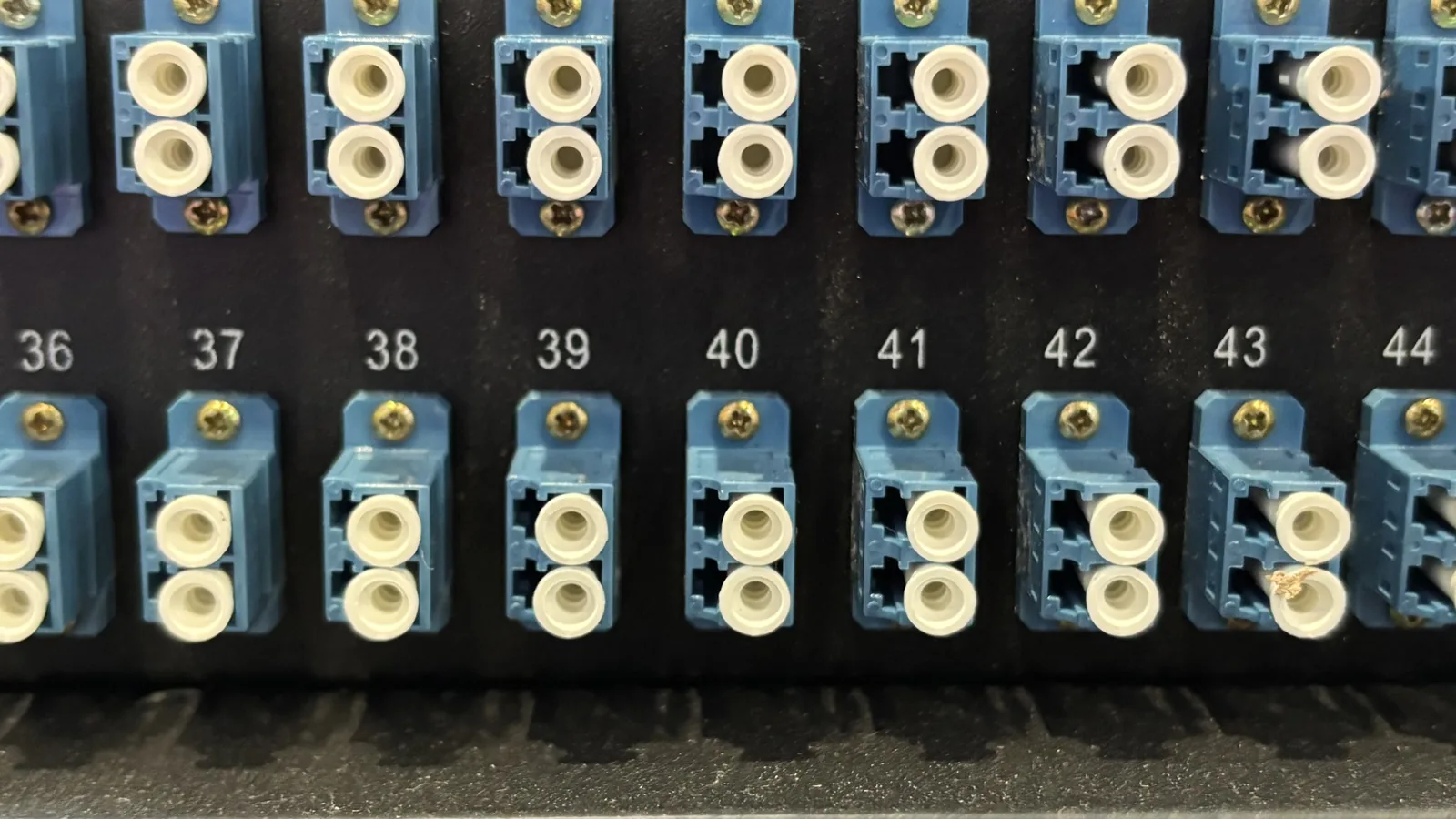
This is one of the first decisions you make when planning a fiber installation: does the patch panel go in a rack, or on a wall? It sounds like a simple mounting question, but it actually shapes your port density, cable management, expansion path, and maintenance access for years to come. Pick the wrong form factor, and you'll either have a half-empty rack burning floor space, or a wall panel overflowing with fibers you can't organize.
Summary
Rack mount fiber patch panels belong in data centers and server rooms where you need high port density (24-144 ports per 1U) and structured cable management. Wall mount fiber patch panels are for small offices, wiring closets, and edge locations with limited space and lower fiber counts (12-48 ports). The right choice depends on fiber count, available space, expansion needs, and budget — not which one looks more professional.
Rack Mount Fiber Patch Panel: What It Is and When to Use It
A rack mount fiber patch panel is a modular enclosure designed to slide into a standard 19-inch equipment rack. It holds splice trays, adapter plates, and cable management components in a structured 1U, 2U, or 4U form factor. The JODF-U series from Jergeo, for example, starts at 1U with 12 ports and scales up to 6U with 144 ports in a single chassis.
Where rack mount patch panels make sense
- Data centers and server rooms: You already have 19-inch racks. Adding a patch panel is a natural extension of existing infrastructure.
- High fiber counts: When you need more than 48 ports, rack mount panels with modular expansion (like Jergeo's JODF-U1 supporting up to 144 ports) handle the density without clutter.
- Structured cabling environments: Horizontal and vertical cable managers keep patch cords organized, which matters when you have hundreds of connections to maintain.
- Future expansion: Modular chassis let you add capacity without replacing the entire panel. Start with 1U and add modules as fiber count grows.
Typical rack mount use cases
- ISP central office or headend: aggregating distribution fibers from multiple neighborhoods
- Enterprise data center: cross-connecting backbone fiber to server racks
- FTTH aggregation node: OLT output patching to downstream distribution cabinets
- Campus network backbone: inter-building fiber termination in a central telecom room
Wall Mount Fiber Patch Panel: What It Is and When to Use It
A wall mount fiber patch panel is a compact, self-contained enclosure that attaches directly to a wall surface. It doesn't need a rack — just four screws and a flat surface. Inside, it holds the same core components (splice trays, adapter plates) but in a smaller, fixed-capacity form factor. Port counts typically range from 12 to 48, which covers most small-to-medium deployments.
Where wall mount patch panels make sense
- Small offices and wiring closets: No equipment rack exists, and installing one would be overkill for 12-24 fibers.
- Edge locations and remote sites: Retail stores, branch offices, or cell towers where space is tight and the fiber count is low.
- FTTH distribution points: A wall mount panel in a basement or utility room terminates the drop cable from the street and provides access ports for individual subscribers.
- Quick deployments: When you need to terminate fiber today and don't have time to rack, cable-manage, and label a full rack installation.
Typical wall mount use cases
- Small business network: terminating a 12-fiber backbone from the ISP demarc
- Residential MDU (multi-dwelling unit): fiber entry point in the basement for 4-12 apartments
- Retail branch: connecting a single fiber drop to the store's LAN switch
- Temporary event or construction site: quick fiber termination that can be relocated later
How to Decide: 5 Factors That Actually Matter
Here's the decision framework we use when customers ask which type to order. It's not about which one is "better" — it's about which one fits your specific constraints.
1. Fiber count and port density
This is the first filter. Count how many fibers you need to terminate now, and estimate how many you'll need in 2-3 years. The rule of thumb:
- Under 24 fibers: Wall mount is almost always the right call. A 12-port or 24-port wall mount panel is cheaper, faster to install, and doesn't waste rack space.
- 24-48 fibers: Either works. If you have an existing rack, go rack mount for organization. If you don't, wall mount is still practical.
- Over 48 fibers: Rack mount. Wall mount panels max out around 48 ports, and managing more than that in a wall enclosure becomes a tangled mess.
2. Available space and installation location
Do you have a 19-inch rack already? If yes, adding a rack mount panel is trivial — it slides in like any other rack unit. If no, you have two options: install a rack (cost, space, time) or use a wall mount panel (screws, wall, done).
Also consider the physical location. A server room with raised floors and structured cabling is built for rack mount. A utility closet with exposed conduit and limited floor space is better suited for wall mount. Don't force a rack into a space that wasn't designed for it.
3. Future expansion requirements
Rack mount panels with modular chassis (like Jergeo's JODF-U1) let you start with 1U and add capacity over time. If your fiber count will grow — say you're building out an FTTH network neighborhood by neighborhood — rack mount gives you a clear expansion path. Wall mount panels are fixed-capacity: once you fill it, you need to add another panel elsewhere.
That said, if your fiber count is stable (you know exactly how many fibers you need and it won't change), a wall mount panel sized correctly is a perfectly valid long-term solution.
4. Cable management and maintenance access
Rack mount panels integrate with horizontal and vertical cable managers, keeping patch cords organized and labeled. This matters when you have dozens of connections that technicians need to trace, test, or re-patch. Wall mount panels have limited cable management — usually just internal routing channels — which is fine for 12-24 fibers but becomes frustrating at higher counts.
Also consider who will maintain this. If it's a trained data center technician, rack mount is second nature. If it's a local electrician or IT generalist at a branch office, wall mount is simpler and less intimidating.
5. Budget and deployment timeline
Wall mount panels are generally cheaper per port than rack mount panels, and they don't require rack infrastructure. If you're deploying 10 branch offices with 12 fibers each, wall mount panels save you the cost of 10 small racks plus installation labor.
For timeline: wall mount panels can be installed in under an hour. Rack mount panels require rack space allocation, cable routing, and often coordinated installation with other rack equipment. If you need fiber up today, wall mount is the faster path.
Quick Decision Matrix
| Factor | Rack Mount | Wall Mount |
|---|---|---|
| Fiber count | 48+ ports, scalable | 12-48 ports, fixed |
| Space available | 19-inch rack exists | Wall space, no rack |
| Expansion path | Modular, add capacity | Fixed, add new panel |
| Cable management | Structured, integrated | Basic, internal routing |
| Installation time | 2-4 hours with rack | 30-60 minutes |
| Typical cost | Higher per panel, lower per port at scale | Lower per panel, higher per port at scale |
Real-World Scenarios
Scenario A: ISP building out FTTH in a suburban neighborhood
Setup: Central office with 500+ subscribers, distribution cabinets at street corners, drop cables to each house.
Recommendation: Rack mount in the central office (high density, structured cabling, future expansion). Wall mount or small rack mount in each distribution cabinet (lower fiber count, outdoor-rated enclosure needed).
Scenario B: Small business with 12-fiber backbone from ISP
Setup: Single server closet, no existing rack, 12 fibers coming in from the street demarc, connecting to one switch and one router.
Recommendation: Wall mount panel. 12 fibers is well within wall mount capacity, no rack infrastructure needed, and the local IT person can handle maintenance without rack training.
Scenario C: Enterprise data center expanding to 40G/100G
Setup: Existing 19-inch racks, high-density MPO/MTP connectivity needed, 100+ fiber connections between spine and leaf switches.
Recommendation: Rack mount, high-density MPO panels. Wall mount can't handle this port count or the cable management requirements. Modular chassis allows scaling as the network grows.
Product Recommendations from Jergeo
For rack mount applications, Jergeo's JODF-U1 series supports 12-144 ports in a modular 19-inch chassis (1U to 6U), with LC, SC, or MPO adapter options. The JODF-U3A is a popular 24-port 1U configuration for mid-size deployments.
For wall mount applications, Jergeo's JODF-U3B is a compact indoor wall mount panel suited for small offices and wiring closets. For outdoor wall mounting, the JOTB-192A offers IP65-rated protection for FTTH curb-side deployments.
Key Takeaway
Don't choose rack mount because it looks more professional, and don't choose wall mount because it's cheaper. Choose based on fiber count, available space, expansion needs, and who will maintain it. Rack mount wins for high-density, structured environments with growth potential. Wall mount wins for low-count, space-constrained, or quick-deployment scenarios. Both have their place — the right answer depends on your specific constraints.
References
- TIA-568.3-D: Optical Fiber Cabling Components Standard
- ISO/IEC 11801: Generic Cabling for Customer Premises
- Jergeo JODF-U Series Product Specifications (2026)
- BICSI TDMM: Telecommunications Distribution Methods Manual
Related Articles

Fiber Optic Patch Panel Buyer's Guide
Port count, connector types, density options, and specifications for selecting the right patch panel.
MPO vs LC Patch Panel: Which Connector Type?
MPO and LC connector comparison for high-density data center and standard enterprise deployments.
Fiber Distribution Panel Selection Guide
How to choose fiber distribution panels for FTTH, data center, and enterprise networks.