Fiber Distribution Hub (FDC) — ODN Cabinet
The primary branching point in every FTTH network — where feeder cables terminate, fibers splice, and drop cables begin.
A fiber distribution cabinet (FDC) — also called a fiber cross-connect cabinet or optical distribution cabinet — sits at the junction between the feeder cable from the central office and the drop cables that run to subscriber buildings. It is the largest passive enclosure in the ODN chain, and the one that field technicians interact with most often. Jergeo manufactures FDCs from 72 to 1152 ports in SMC (glass-fiber reinforced polyester) and 304 stainless steel. Every model uses drawer-type splice-and-distribution trays, which means splicing and adapter termination happen in the same module — no separate splice tray rack and distribution panel to manage. All outdoor models are IP65 rated and operate from -45°C to +80°C. Mounting options include ground mount (all models) and wall mount (72–288 port models).
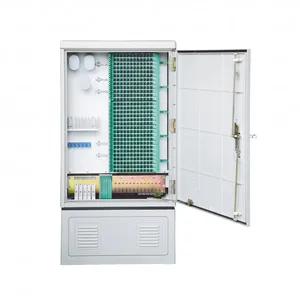
JFDC-288A Fiber Distribution Cabinet
Fiber distribution hub, 288 ports, SMC shell, IP65. Wall and ground mounting. Drawer-type splice trays. Factory direct, OEM/ODM, MOQ from 1.
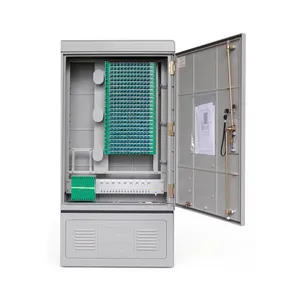
JFDC-288B Fiber Distribution Cabinet
Compact fiber distribution hub, 288 ports, single-door SMC cabinet. IP65 rated, -45 to +80°C. Drawer-type trays. Factory direct, OEM/ODM, MOQ from 1.
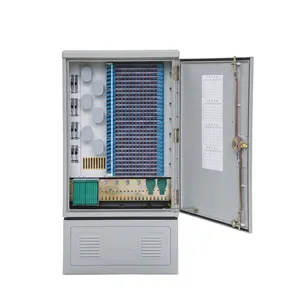
JFDC-288C Fiber Distribution Cabinet
Fiber distribution hub with 288 ports and increased depth for larger cable bundles. SMC shell, IP65, drawer-type trays. Factory direct, OEM/ODM, MOQ from 1.
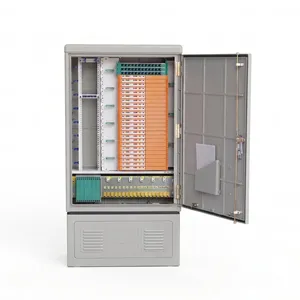
JFDC-288D Fiber Distribution Cabinet
Slim fiber distribution hub, 288 ports for tight spaces. SMC, IP65, drawer-type splice trays. Factory direct, OEM/ODM, MOQ from 1.
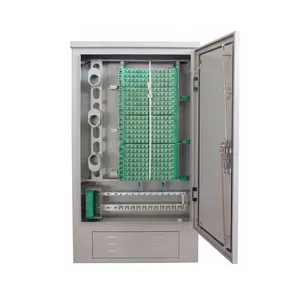
JFDC-288E Fiber Distribution Cabinet
Stainless steel 304 fiber distribution hub, 288 ports for harsh environments. IP65, -45 to +80°C. Drawer-type trays. Factory direct, OEM/ODM, MOQ from 1.
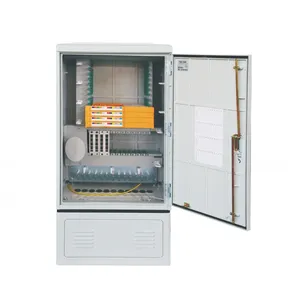
JFDC-144A Fiber Distribution Cabinet
Fiber distribution hub with 144 ports, versatile wall and ground mounting. SMC shell, IP65, drawer-type splice trays. Factory direct, OEM/ODM, MOQ from 1.
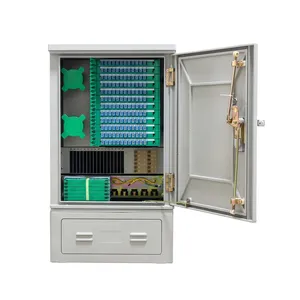
JFDC-144B Fiber Distribution Cabinet
Compact 144-port fiber distribution hub for smaller FTTH deployments. SMC, IP65, drawer-type splice and distribution trays. Factory direct, OEM/ODM, MOQ from 1.
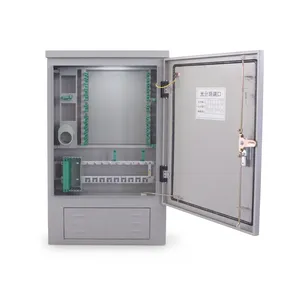
JFDC-144C Fiber Distribution Cabinet
Stainless steel 304 fiber distribution hub, 144 ports for corrosive environments. IP65, drawer-type trays. Factory direct, OEM/ODM, MOQ from 1.
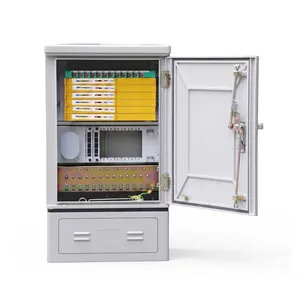
JFDC-72A Fiber Distribution Cabinet
Compact 72-port fiber distribution hub for small FTTH. SMC, IP65, drawer-type trays, wall and ground mount. Factory direct, OEM/ODM, MOQ from 1.
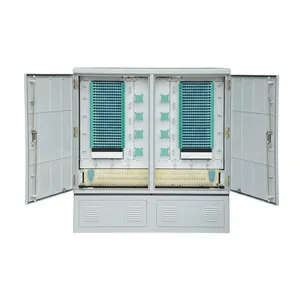
JFDC-576A Fiber Distribution Cabinet
Fiber distribution hub with 576 ports, dual-door SMC cabinet. IP65, drawer-type splice and distribution trays. Factory direct, OEM/ODM, MOQ from 1.
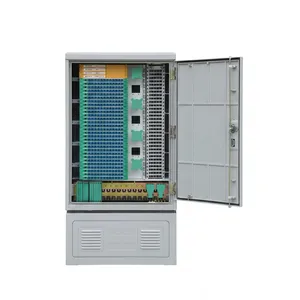
JFDC-576B Fiber Distribution Cabinet
576-port fiber distribution hub with front and rear dual-door design. SMC, IP65, drawer-type trays. Factory direct, OEM/ODM, MOQ from 1.
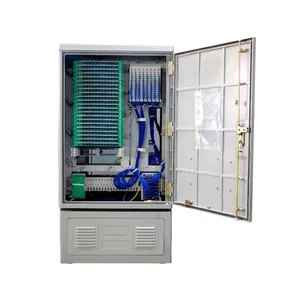
JFDC-576C Fiber Distribution Cabinet
Compact 576-port fiber distribution hub with dual-door design. SMC shell, IP65, drawer-type splice trays. Factory direct, OEM/ODM, MOQ from 1.
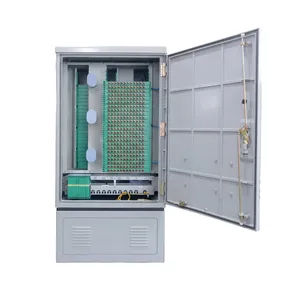
JFDC-576D Fiber Distribution Cabinet
Fiber distribution hub with 576 ports and compact dimensions for high-density deployments. SMC, IP65. Factory direct, OEM/ODM, MOQ from 1.
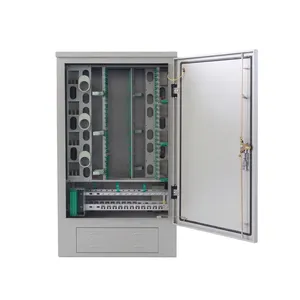
JFDC-576F Fiber Distribution Cabinet
Stainless steel 576-port fiber distribution hub for outdoor harsh environments. IP65, dual-door, drawer-type trays. Factory direct, OEM/ODM, MOQ from 1.
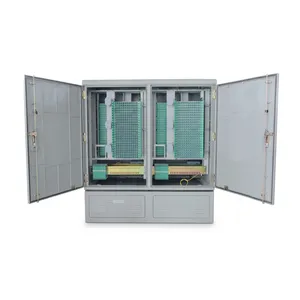
JFDC-1152A Fiber Distribution Cabinet
High-capacity fiber distribution hub, 1152 ports, SMC. IP65, dual-door, drawer-type trays. Factory direct, OEM/ODM, MOQ from 1.
Where the FDC Fits in the ODN Chain
One Cabinet, One Job — But Get It Wrong and the Whole Network Pays
The FDC does exactly one thing: it receives feeder cables, splices the fibers, and distributes them to drop cables through adapter ports. That sounds simple, but the FDC is the single most maintenance-intensive node in an FTTH network. Every new subscriber activation, every fiber rerouting, every splice repair happens through this cabinet. If the door seal fails, the trays are hard to access, or the internal routing forces technicians to disturb active connections to reach spare fibers — you pay for it on every single service call.
Here is how the FDC sits in the signal path:
The FDC is the only point in that chain where hundreds of fibers converge in a single enclosure. A 1152-port cabinet like the JFDC-1152A handles 96 splice-and-distribution modules — that is 96 individual trays a technician may need to pull, inspect, or replace over a 20-year service life. The drawer-type tray design is not a luxury feature. It is the difference between a 15-minute fiber addition and a 2-hour nightmare of disentangling fiber runs behind a fixed panel.
Jergeo FDCs separate the cable entry zone (bottom pedestal, ground-mount models) from the splice-and-distribution zone (upper body). Feeder cables enter from below, are secured with worm-gear clamps, and routed up to the splice trays. Drop cables exit through dedicated ports. This physical separation means cable entry work never requires opening the splice compartment, and splice tray replacement never requires touching the cable gland area.
SMC vs. Stainless Steel — Which One You Actually Need
Stop Guessing at Materials — Here Is How to Decide
Most FDCs worldwide are SMC. That is not because SMC is "good enough" — it is because SMC is the right material for the majority of outdoor deployments. Let us break down when each material makes sense.
SMC (Sheet Molding Compound — Glass-Fiber Reinforced Polyester)
- Does not corrode. No rust, ever. This alone eliminates the most common failure mode in outdoor steel cabinets.
- Does not conduct electricity. No grounding required. No risk of lightning-induced current traveling through the cabinet body to the splice trays.
- UV-stable when properly formulated. Jergeo SMC uses a UV-resistant surface layer that maintains mechanical properties after years of sun exposure.
- Thermal insulation: SMC has lower thermal conductivity than steel, which reduces internal temperature swings in hot climates.
- Operating range: -45°C to +80°C.
- Standard color: Gray Pantone 413C (low solar absorption).
When to choose SMC:
Standard outdoor FTTH deployments — residential neighborhoods, commercial districts, campuses. This covers 80–90% of all FDC installations.
304 Stainless Steel
- Superior corrosion resistance in salt-spray environments. If your deployment is within 1 km of coastline or in an industrial zone with chemical exposure, stainless steel outlasts SMC over a 25+ year horizon.
- Higher mechanical strength per unit thickness. Stainless cabinets can be built slimmer (see JFDC-288E at 263mm depth vs. JFDC-288A at 360mm) — relevant when mounting space is tight.
- Higher material cost. Typically 1.5–2× the SMC equivalent.
- Requires proper welding (continuous seam, not spot welds) and passivation. Poorly welded stainless steel rusts at the weld seams faster than SMC degrades.
When to choose stainless steel:
Coastal installations, offshore platforms, industrial zones with acid/alkali exposure, or any project spec that explicitly requires metal enclosures.
The bottom line:
If your project specification does not explicitly mandate stainless steel, SMC is the correct choice. The savings go into better seal maintenance and spare parts — which actually determine whether your cabinet survives its rated service life.
Sizing Your FDC — Capacity Planning That Accounts for Reality
The Spare Ratio Is Not Optional — It Is the Difference Between a Cabinet and a Roadblock
Here is the calculation that too many project managers skip: you do not size an FDC for current demand. You size it for the network at maturity, plus a margin for rerouting and repair.
Step 1: Count your subscribers at build-out.
A residential block of 200 homes at 2 fibers per home (1 active + 1 spare per ITU-T G.657) = 400 fibers minimum.
Step 2: Add 30–50% spare ratio.
This is not padding — spare fibers are needed for:
- Subscriber churn (disconnected fibers get cut and re-spliced, consuming slack)
- Network upgrades (adding splitters, rerouting to new splitter boxes)
- Damage repair (a damaged feeder fiber may need to be bypassed through a spare path)
So 400 fibers + 40% spare = 560 fibers → round up to a 576-port FDC.
Step 3: Check your mounting constraints.
Can you fit a ground-mount cabinet at this location? If only wall-mount is possible, your maximum capacity is 288 ports (JFDC-288A through 288D). You may need to split the node into two smaller cabinets.
Quick reference by deployment size:
| Deployment | Homes Served | Fibers Needed + 40% Spare | Recommended FDC |
|---|---|---|---|
| Small MDU / office | 30–50 | 84–140 | JFDC-144A/B |
| Residential block | 100–200 | 280–560 | JFDC-576A–D |
| Large neighborhood | 300–500 | 840–1400 | JFDC-1152A |
| Single building | 20–30 | 56–84 | JFDC-72A |
One more thing: the physical dimensions of the cabinet must fit the installation site before you worry about port count. A JFDC-1152A is 1550×1450×620mm — that is a substantial piece of equipment on a sidewalk. Check local regulations for cabinet placement clearance and utility easement requirements before you finalize the model.
Related Solutions
See how FDCs fit into complete FTTH network deployments
Explore FTTH Network Solution